

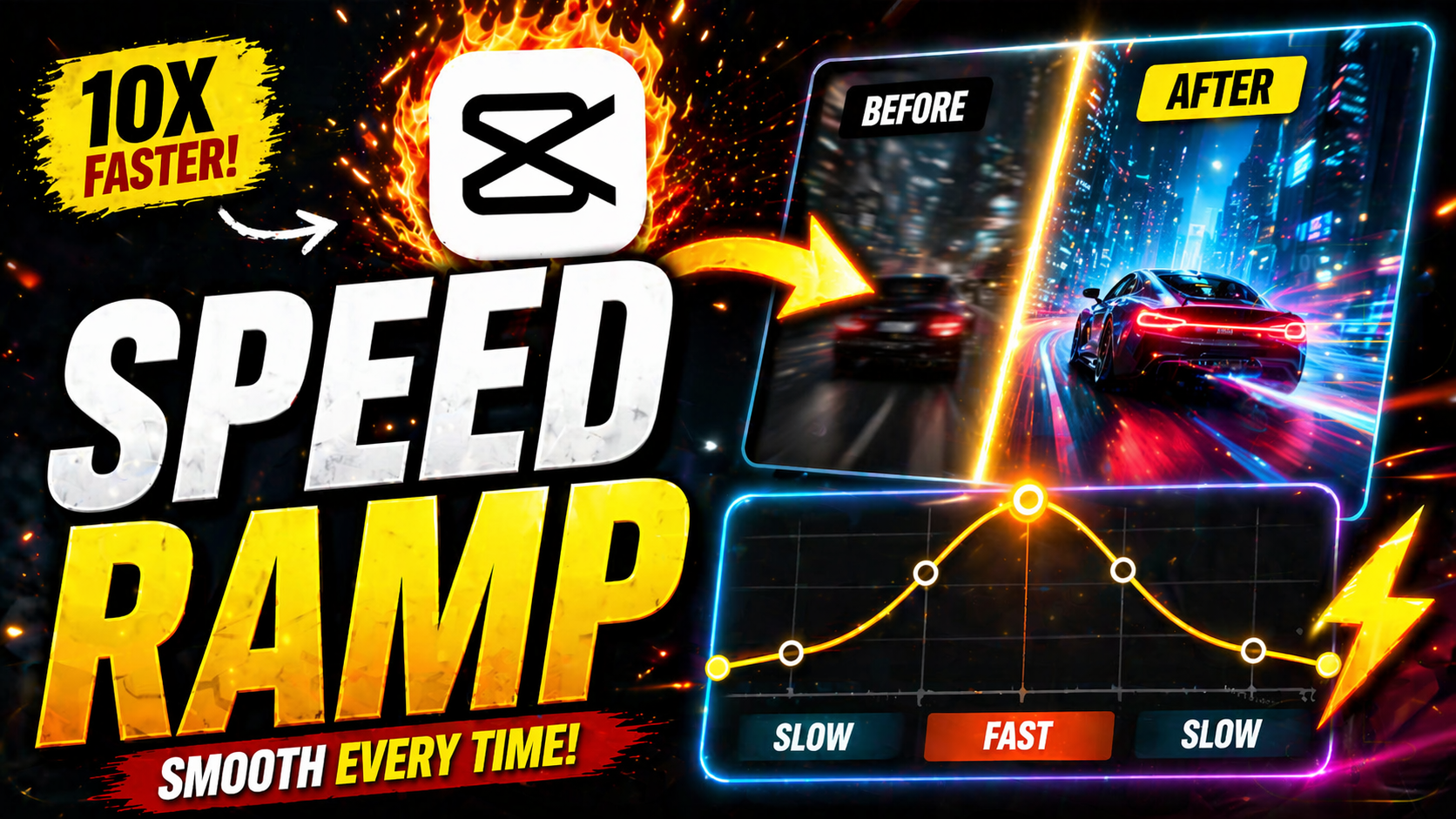

Speed Ramp Editing in 2026:

Introduction:
Speed Ramp: You’ve probably seen it a hundred times without knowing its name: a video suddenly slows down at the perfect dramatic moment, then snaps back to full speed as if time itself just caught up. That effect is called a speed ramp, and it’s one of the most popular editing techniques used in short-form video today.
From action sports clips to travel reels and cinematic vlogs, speed ramping turns ordinary footage into something that feels intentional, polished, and emotionally charged. In this guide, you’ll learn exactly what a speed ramp is, why it works so well on video platforms in 2026, which tools make it easy, and how to create one yourself — step by step, even as a beginner.
What Is a Speed Ramp?
A speed ramp is a video editing technique where footage smoothly transitions between different playback speeds within a single clip — typically shifting from normal speed to slow motion (or vice versa) rather than cutting abruptly between clips.
Unlike a simple slow-motion effect, which stays at one constant speed throughout, a true speed ramp involves a gradual acceleration or deceleration curve. This creates a smooth, almost musical rhythm that feels far more cinematic than a flat speed change.
Speed Ramp vs. Regular Slow Motion:
The key difference comes down to transition. Regular slow motion plays an entire clip at a reduced speed. A speed ramp, on the other hand, ramps the speed up or down at a specific point — usually timed to an action, beat drop, or emotional peak — making the moment feel deliberately emphasized rather than just slowed down.
Why Speed Ramping Works So Well on Social Media:
Short-form platforms reward content that holds attention within the first few seconds. A well-timed speed ramp does exactly that by creating a visual “surprise” — footage suddenly feels more dramatic, which keeps viewers watching longer.
It also syncs beautifully with music. Many viral clips use a speed ramp that lines up with a beat drop, giving the video a satisfying, almost choreographed feel even if the footage itself is simple.
Common Use Cases:
Sports and action clips — emphasizing a jump, hit, or trick
Travel and lifestyle videos — building anticipation before a reveal
Product showcases — adding energy to otherwise static footage
Music-driven edits — syncing motion to beat drops or lyrics
Best Tools for Speed Ramp Editing
The good news is you don’t need a Hollywood budget to pull off this effect. Here are some go-to options depending on your skill level.
Beginner-Friendly Mobile Apps:
CapCut has become one of the most widely used apps for speed ramping thanks to its built-in speed curve tool, which lets you drag keyframes to control acceleration without any technical knowledge.
Professional Desktop Software:
For more precise control, Adobe Premiere Pro remains a top choice, allowing frame-by-frame speed adjustments using time remapping and keyframe interpolation.
AI-Assisted Editing Tools:
Newer AI-powered editors can now automatically detect beat drops or motion peaks in your footage and suggest speed ramp points, cutting editing time significantly for creators who publish frequently.
How to Create a Speed Ramp: Step-by-Step:
Choose the right footage. Clips with clear motion — a jump, turn, or fast movement — work best for this effect.
Identify your key moment. Decide exactly where you want the speed to shift, usually right before or during the action peak.
Add speed keyframes. Mark the start and end points of the ramp in your editing software’s speed or time-remapping tool.
Smooth the curve. Avoid an abrupt jump between speeds — use ease-in and ease-out curves so the transition feels natural.
Sync with audio. Align your ramp with a beat, sound effect, or narration cue for maximum impact.
Preview and adjust. Watch the clip at full size and tweak timing until the transition feels seamless rather than jarring.
Common Mistakes to Avoid:
Overusing the effect — applying speed ramps to every clip dilutes their impact
Ramping too abruptly — sudden speed changes without smoothing feel unpolished
Ignoring audio sync — a ramp that doesn’t match the beat loses its emotional payoff
Using shaky footage — motion blur and instability become more noticeable at variable speeds
Speed Ramp Trends to Watch in 2026
AI-suggested ramp points that analyze footage and audio automatically
Multi-ramp sequences within a single clip for more complex, layered pacing
Speed ramping paired with match cuts for seamless scene transitions
Vertical-first templates designed specifically for mobile-first platforms
Frequently Asked Questions:
What is a speed ramp in video editing? A speed ramp is a technique where footage smoothly transitions between speeds — such as from normal to slow motion — within a single clip, rather than cutting between separately sped-up and slowed-down clips.
What’s the easiest app for speed ramping? CapCut is widely considered the easiest option for beginners thanks to its drag-and-adjust speed curve tool.
Do I need special footage to speed ramp? Footage with clear, deliberate motion works best. Static or low-action clips won’t showcase the effect as effectively.
Can speed ramping be done on a phone? Yes. Most mobile editing apps, including CapCut and InShot, now include built-in speed ramp tools designed for phone-based editing.
Why do my speed ramps look choppy? This usually happens when the speed change isn’t smoothed with an easing curve, or when the source footage has a low frame rate that struggles with slow motion.
Conclusion: Add Cinematic Energy to Your Next Edit
A speed ramp is a small technical detail that makes a huge creative difference — turning simple footage into something that feels intentional, dynamic, and shareable. With the right tool and a bit of practice syncing your ramp to the right moment, you can bring professional-level polish to any video, whether it’s for social media, a brand project, or a personal passion piece.
Pick one clip from your camera roll, try the step-by-step process above, and see how a single well-timed speed ramp can transform the entire feel of your edit.
Read more: How to use speed ramping in Premiere Pro
Watch all the tutorials for video editing here: Video Editing Tutorials
Leave a Reply