

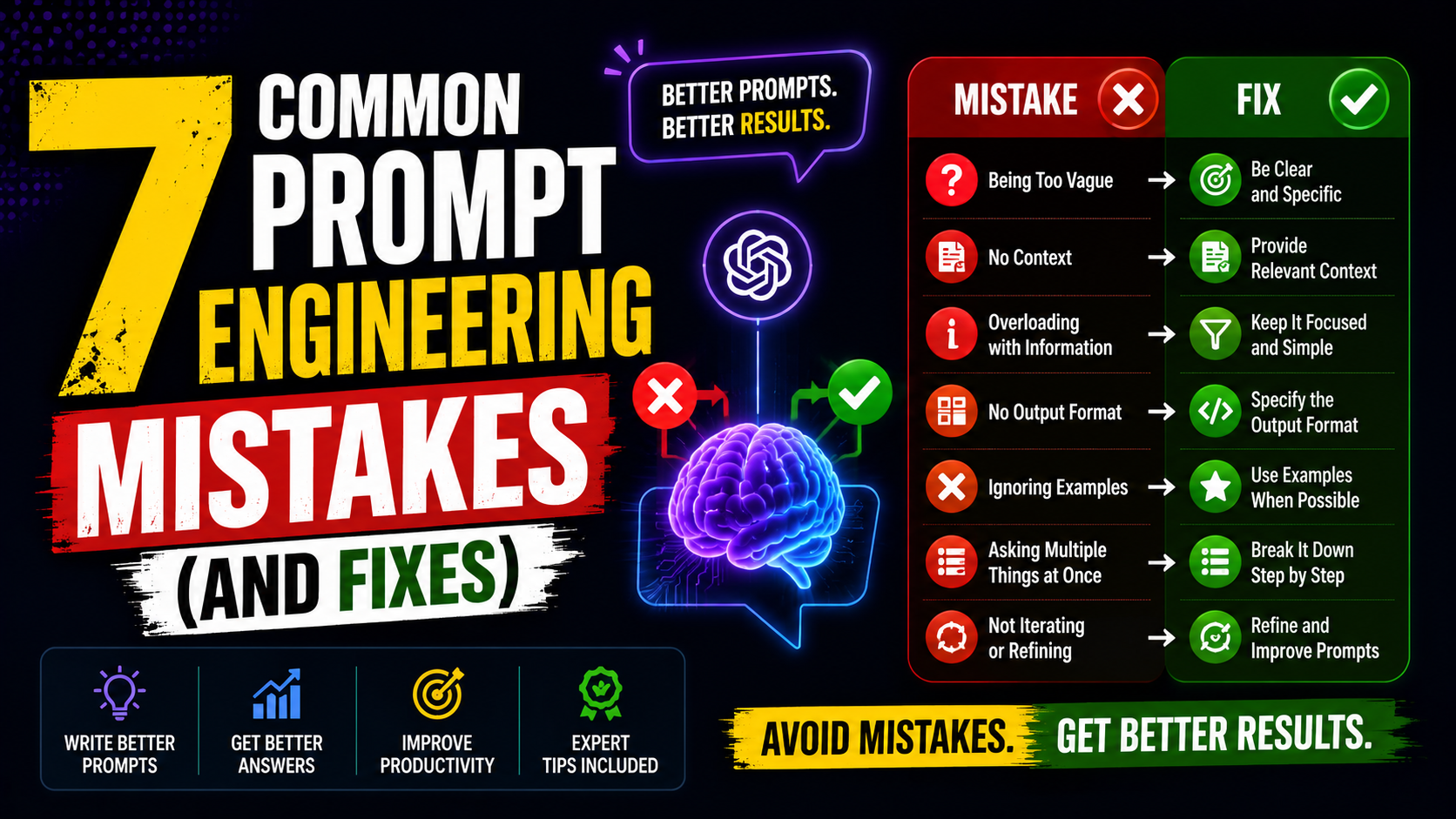

7 Common Prompt Engineering Mistakes (And Fixes):
Prompt engineering mistakes: You type a question into ChatGPT, get a vague or generic answer back, and think the AI just “isn’t that smart.” But more often than not, the problem isn’t the AI — it’s the prompt.
Prompt engineering mistakes are incredibly common, even among people who use AI tools daily. The good news? Most of these mistakes are easy to spot and even easier to fix once you know what to look for. In this guide, you’ll learn the most frequent prompt engineering mistakes people make and exactly how to correct them.
Why Prompt Engineering Mistakes Matter:
AI models like ChatGPT and Claude don’t read your mind — they read your words literally. A vague prompt gives a vague answer. A poorly structured prompt gives a poorly structured response. Small wording changes can completely change the quality of what you get back.
Understanding these mistakes isn’t just a “nice to know” — it directly affects how useful AI is for your actual work, whether that’s writing, coding, research, or content creation.
Mistake #1: Being Too Vague
This is the single most common prompt engineering mistake. Asking “write me a blog post” gives the AI almost nothing to work with.
Fix it: Add context — topic, tone, audience, length, and purpose. Instead of “write a blog post,” try “write a 600-word blog post about home workouts for busy parents, in a friendly and encouraging tone.”
Mistake #2: Not Giving the AI a Role
Skipping role assignment is a missed opportunity. Without it, the AI defaults to a generic, average response.
Fix it: Start your prompt with a role, like “Act as an experienced fitness coach” or “You are a senior marketing strategist.” This single addition often improves response quality significantly.
Mistake #3: Overloading One Prompt With Too Many Tasks
Asking the AI to write an article, create a title, suggest keywords, and format it for social media all in one prompt often produces a rushed, lower-quality result for every part.
Fix it: Break big requests into smaller, sequential prompts. Get one task done well, then build on it with a follow-up prompt.
Mistake #4: Forgetting to Specify Format
If you don’t tell the AI how you want the answer structured, you might get a wall of text when you actually needed bullet points, a table, or numbered steps.
Fix it: Be explicit: “List this as 5 bullet points” or “Format this as a table with three columns.”
Mistake #5: Not Giving Examples When It Matters
For tasks like writing in a specific tone or style, the AI is guessing without a reference point.
Fix it: Include a short example of the style you want. Even one sentence showing your preferred tone makes a noticeable difference in matching it.
Mistake #6: Treating the First Response as Final
Many people accept the first answer instead of refining it, even when the response clearly missed the mark.
Fix it: Follow up. Prompts work best as a conversation, not a one-shot request. Try: “That’s close, but make the tone more casual” or “Shorten this by half.”
Mistake #7: Ignoring Negative Instructions
Telling the AI what not to do is just as important as telling it what to do, but it’s often skipped entirely.
Fix it: Add constraints like “Don’t use technical jargon” or “Avoid generic phrases like ‘in today’s fast-paced world.’” This narrows the AI’s output and avoids common clichés.
How to Build Better Prompts Going Forward:
A simple framework to avoid most of these mistakes:
Role – Who should the AI act as?
Task – What exactly do you want done?
Context – Who is this for, and why?
Format – How should the output look?
Constraints – What should be avoided?
Running through this checklist before sending a prompt takes a few extra seconds but saves multiple rounds of back-and-forth.
Frequently Asked Questions:
Q: What is the most common prompt engineering mistake?
Being too vague is the most common issue. Prompts without context, tone, or purpose almost always produce generic results.
Q: Does giving the AI a role really make a difference?
Yes. Assigning a role helps the AI adjust vocabulary, depth, and tone to match what an expert in that role would actually say.
Q: How long should a good prompt be?
There’s no fixed length — it should be as long as needed to give clear context, but not so long that it becomes confusing or contradictory.
Q: Can I fix a bad response without rewriting the whole prompt?
Yes. Follow-up prompts like “make it shorter” or “add more detail to the second point” are often faster than starting over.
Q: Is prompt engineering a skill that takes long to learn?
The basics can be picked up in a day or two of practice. Getting consistently great results across different tasks takes more ongoing experimentation.
Final Thoughts:
Most disappointing AI responses come down to one of these seven prompt engineering mistakes — not a limitation of the AI itself. Once you start adding role, context, format, and clear constraints to your prompts, you’ll notice an immediate jump in response quality.
Try rewriting your next prompt using the five-part framework above, and see the difference for yourself. If this helped clear things up, save it for next time you’re stuck staring at a vague AI response.


Leave a Reply